FLXPAD for iPadSample it. Loop it.
Play it live.
FLXPAD is a sampler, looper, and live FX rig for iPad. Four tracks, 36 pedals, a built-in kick, and a touchpad that records your moves and plays them back with the loop.
Coming soon to the App Store
See it moveFor iPad. Requires iPadOS 17 or later.

Real footage. Four demo tracks come loaded. Tap play.
Perform
Made to be played live.
FLXPAD is an instrument, not a playback app. Bring tracks in and out, push an effect for one bar, freeze a phrase and play over it.
Instant on. Instant off.
Play, pause, and stop each of four tracks instantly, or all of them with PLAY ALL and STOP ALL.
Bend time.
Reverse, half speed, double speed, and hold, on every track.
Both hands in.
Knobs, pads, and the touchpad each take their own touch. Turn two knobs while you ride the pad.
Go wild. Snap back.
Every track has its own tempo, pitch, reverb, delay, and volume knobs. Double-tap any knob to reset it.
FX touchpad
Your moves, on repeat.
Every pedal puts two live controls on an XY touchpad. Drag your finger to ride the effect.
Do it once. FLXPAD remembers.
Hit REC MOVES and FLXPAD records your knob turns and touchpad gestures. They replay in time with the loop, drawn right on the waveform.
Layer it.
Record moves on more than one pedal on the same track and stack them up. The loop keeps playing them while your hands move on.
Pedals
36 pedals. No floor space.
Eleven categories, one board. One pedal per category is heard at a time, and FILTER pedals stack. SLICER and STUTTER follow the track's tempo, and level matching keeps the track at the same volume when you switch pedals on or stack them.
TEXTURE, 5 pedals
Break the sound into grains and stutters.
FREEZE, 3 pedals
Catch a moment and hang on to it.
TIME, 11 pedals
Echoes, flanger, and chorus, with up to 8 seconds of LONG DELAY.
MOD, 1 pedal
The classic sweep.
SPACE, 3 pedals
Plate, hall, or reverse. Pick your room.
SPRING, 1 pedal
The drip of a spring tank.
PITCH, 3 pedals
Bend it, shift it up to 12 semitones either way, or add an octave.
RHYTHM, 1 pedal
Chop the track in time with its tempo.
NOISE, 1 pedal
Add a bed of noise.
FILTER, 2 pedals
Cut the lows, cut the highs. These two stack.
DRIVE, 5 pedals
From a clean push to full SHRED.
Go on, tap a pedal.
Sample and loop
Sample anything. Loop it tight.
Hit REC MIC to record from the iPad mic, a USB mic, or an audio interface. Or load your own m4a, wav, aiff, or mp3 files from Files.
Pick your input.
The arrow next to REC MIC picks the input, down to each input on a multi-input interface.
Carve the loop.
Drag the A and B handles on the waveform, then zoom to the loop for tight edits.
Count it out.
Loop forever, or set 1, 2, 3, 4, 6, 8, or 16 passes. Set or clear the count while it plays, and the stop lands on the loop boundary.
Stays on your iPad.
Your audio stays on the device unless you choose to share it.
Once. Sixteen times. Forever. Your call.
Kick
Kick, on tap.
Tap KICK in the header, switch it on, and a steady beat runs under your loops. Set the tempo with TAP TEMPO, or dial it in on the knob.
PITCH · PUNCH · DECAY · DRIVE · FILTER · REVERB
The kick keeps its own tempo and does not lock to your loops. Tap it in to match.
Mix and export
Mix it. Save it. Stem it.
Mix.
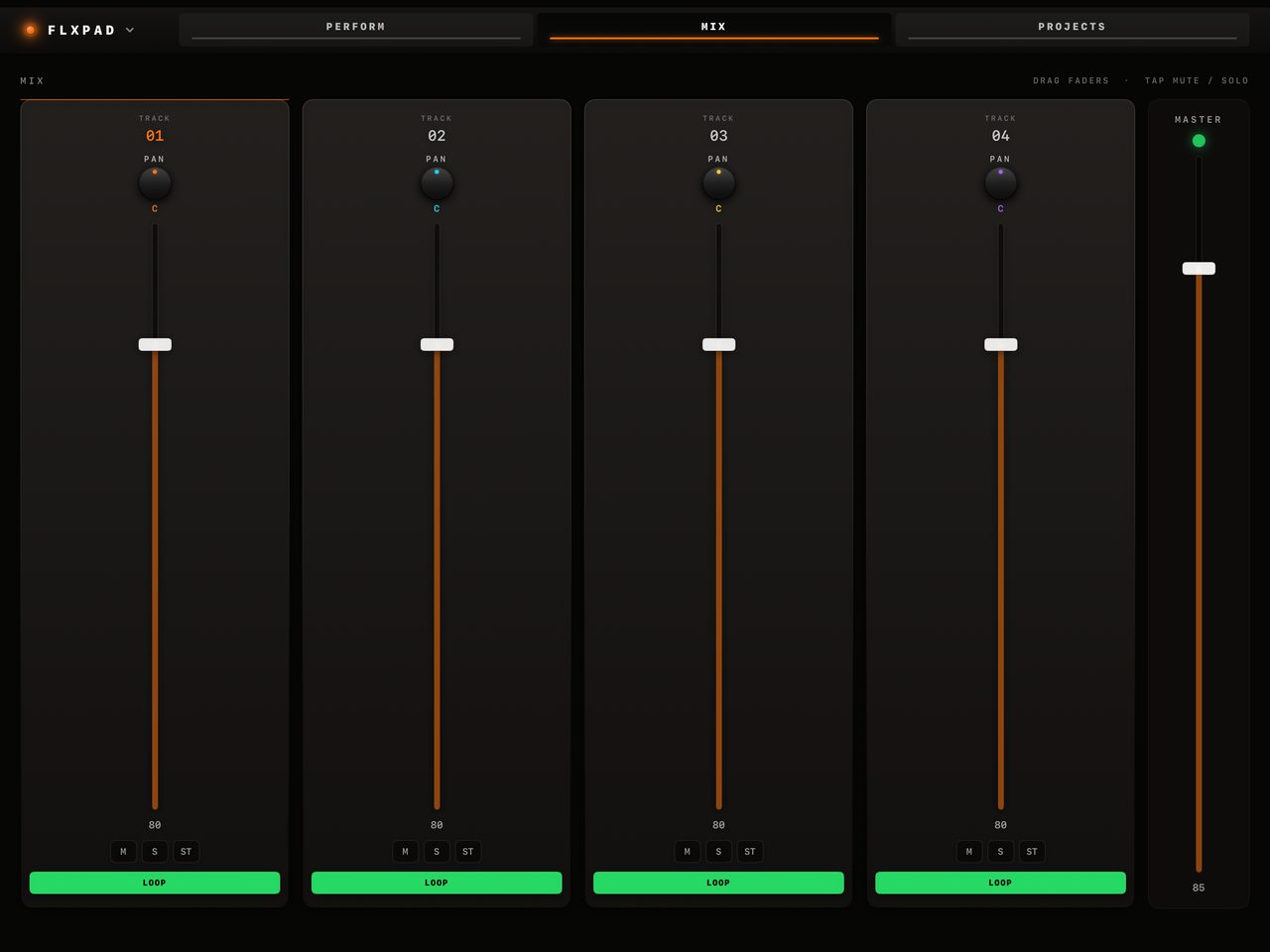
Faders, pan, mute, solo, and a mono switch for every track, with a master limiter on the output.
Save.
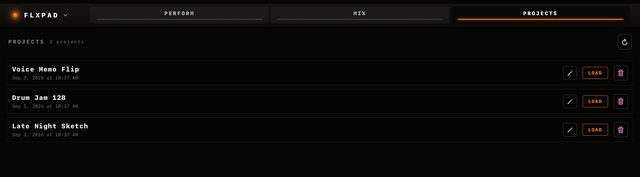
Projects keep your audio, knobs, pedals, kick settings, and recorded moves. Rename them and reload them any time.
Export.
Capture the performance to WAV, with a stem for each track. Share the files to Files or AirDrop, then drop them into your DAW.
No strings
No strings attached.
No account. No ads. No analytics. No data collection. FLXPAD makes no network requests, so your audio stays on your iPad until you choose to share it.
Works anywhere.
No connection needed. Play on a plane, in a basement, or on stage.
Nothing to sign up for.
Open it and play.
Nothing leaves unless you say so.
No data collection, ever. Exports go only where you send them.
The only strings are the ones you plug in.
FAQ
Good questions.
When can I get FLXPAD?
Soon. FLXPAD is coming to the App Store for iPad. Check back here for the launch.
Which iPads does it run on?
Any iPad that runs iPadOS 17 or later: iPad (6th generation) and newer, iPad mini (5th generation) and newer, iPad Air (3rd generation) and newer, and every iPad Pro except the first 12.9-inch and the 9.7-inch models. FLXPAD is made for iPad in landscape and does not run on iPhone.
How do I get started?
Four demo tracks are loaded the first time you open FLXPAD. Tap play on any track, tap a pedal to put it on the touchpad, switch it on, and drag.
Can I record from my audio interface or USB mic?
Yes. Tap the arrow next to REC MIC to pick the input, including each input on a multi-input interface. You can also record from the iPad mic. Bluetooth mics are not used for recording. FLXPAD records your input into a track and plays effects on tracks; it does not put effects on a live input.
Can I get my tracks into my DAW?
Yes. Capture your performance to WAV, with a separate stem for each track, then share the files to Files or AirDrop and bring them into your DAW.
Does it work with MIDI, plugins, or other music apps?
No. FLXPAD is a standalone instrument you play by touch. It does not support MIDI, AUv3 plugins, or tempo sync with other apps.
Do I need an account or an internet connection?
No. There is no account to make. FLXPAD makes no network requests, so it does not need a connection. No ads, no analytics, no data collection.
Go make some moves.
Sample it, loop it, and play it live on your iPad.
Coming soon to the App Store
For iPad. Requires iPadOS 17 or later. No account, no ads, no data collection.
Made by Matthew Wright, an independent developer.